
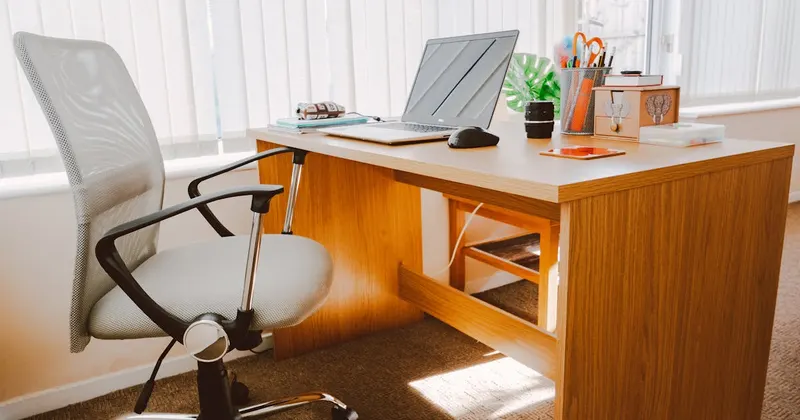
Your home office environment directly impacts your productivity, focus, and stress levels. This guide covers desk organization, cable management, paper reduction, and the physical setup that research shows maximizes focus — all practical, no Pinterest-perfection required.
Since 2020, millions of people work from home at least part-time, but most home offices evolved from "temporary setup" to permanent chaos. A Princeton Neuroscience Institute study found that visual clutter reduces your ability to focus and process information. Your workspace is either helping you or hurting you.
The Clean Desk Framework
Your desk surface should contain only three categories of items:
- What you're actively working on right now
- Input tools (keyboard, mouse, monitor)
- One personal item (photo, plant, or decoration — just one)
Everything else goes off the desk — in a drawer, on a shelf, or in a bin. This isn't about minimalism for aesthetics — it's about reducing the cognitive load of visual clutter.
Cable Management (The Unsexy Essential)
Nothing makes a workspace feel chaotic like a tangle of cables. Simple solutions that work:
- Cable clips adhered to the back of the desk — route each cable in a dedicated clip
- A cable management tray mounted under the desk — hides power strips and excess cable length
- Velcro cable ties — bundle related cables together
- Wireless peripherals where possible (mouse, keyboard, headphones)
Paper Reduction Strategy
Paper is the biggest source of home office clutter. The goal is to reduce incoming paper and process what remains:
- Switch every possible bill and statement to digital/paperless
- Scan important documents and file them digitally (free scanner apps work fine)
- Process mail daily — sort into Act, File, or Recycle immediately
- Keep one thin "action" folder on your desk for items that need immediate attention
Most people discover they can eliminate 80-90% of their paper by going digital. The remaining 10-20% (legal documents, tax records) goes in one labeled file box — not spread across the desk.
Shelf and Drawer Organization
- Use drawer dividers for office supplies (don't let pens, clips, and sticky notes mix)
- Label every shelf and drawer — it forces you to assign a home for each item
- Keep frequently used items within arm's reach, rarely used items on higher shelves
- Empty one drawer for "inbox" — items that need to be processed but aren't urgent
The Weekly Reset (15 Minutes)
Every Friday afternoon, spend 15 minutes resetting your workspace:
- Clear the desk completely, wipe it down, return only essentials
- Process the inbox drawer — file, act on, or discard everything in it
- Empty the trash can
- Wipe down your keyboard, mouse, and monitor (these get surprisingly dirty)
Starting Monday with a clean desk makes the entire week feel more manageable. It's a small investment with outsized returns.
Cleaning Your Home Office
Dust accumulates faster in home offices because of electronics. Computer fans pull in dust, monitors attract static dust, and keyboard crevices collect crumbs and skin cells. A weekly surface wipe and monthly deep dust keeps the space healthy and your equipment running properly.
Related Services
SparkTex Cleaners
Professional cleaning team serving North Houston. 64+ satisfied clients across 13 cities. Insured, background-checked teams with a 100% satisfaction guarantee.